Appearance
Trade block
The trade block lists players that teams in your league have put up for trade. Listing a player tells the other 31 teams the player is available. It does not commit you to anything.
How to get here
- Open a league.
- In the left rail, under League, select Trade block.
What you see
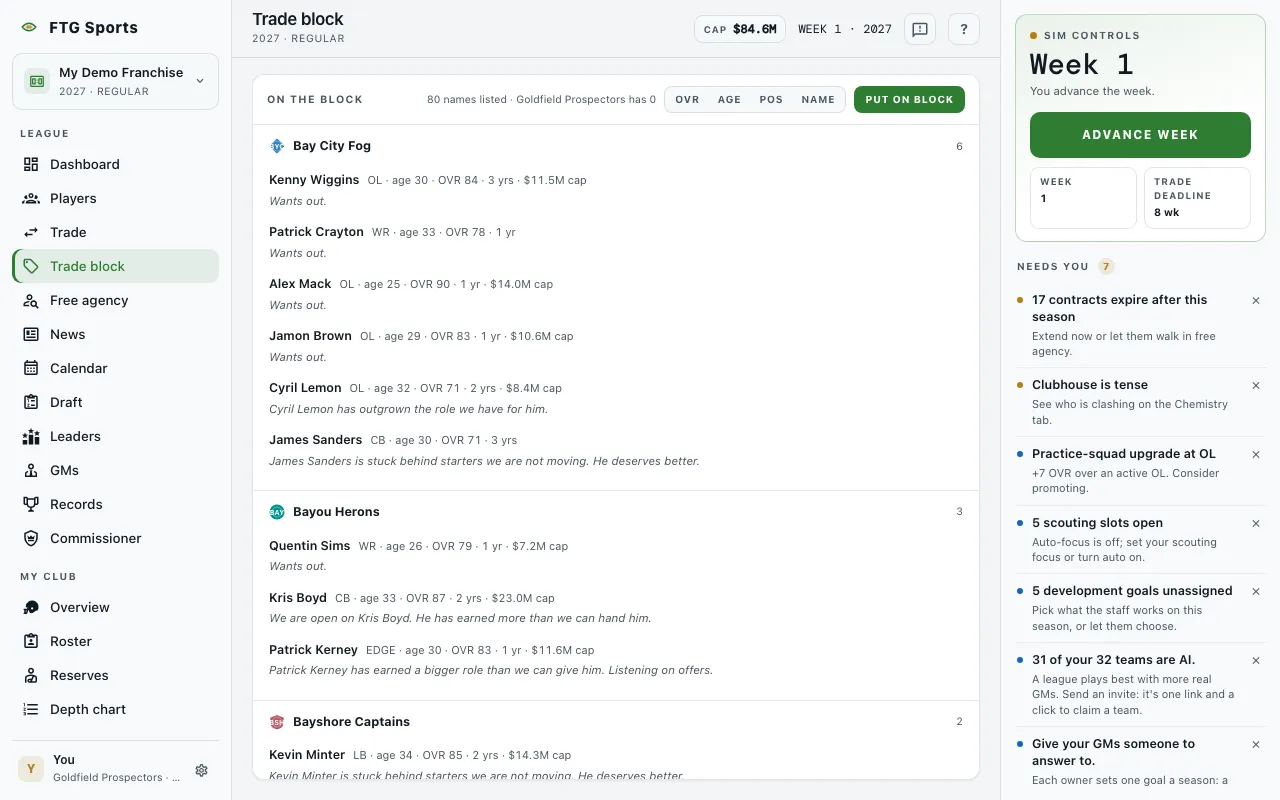
- On the block pane, grouped by team. Your own group carries a Your club tag, and each group shows how many players it lists.
- Count line: for example "5 names listed", followed by how many your team has listed.
- Sort listings buttons: OVR, Age, Pos and Name.
- Each listing shows the player's name, then position, age, and OVR, then years left and, when money is on, the cap hit. A short note can sit under it.
- Nobody is on the block when the list is empty. The text under it says a listed player is seen by every GM.
- The block didn't load if the load fails.
- Offers dialog, opened by See offers. While it loads it reads "Collecting offers". Then it reads "Offers for (name)" and says every offer is one these clubs would accept today. With money on, it says how much cap moving that player sheds. Each row has the club, your cap change and room after, an Over the cap tag when it applies, and the players and picks that club would send. A player line gives position, age, OVR to POT, contract term, and the grade, rank and AV. The foot reads "N teams passed." With no offers it reads "No club has a deal it likes for that player right now."
What you can do
- Put on block: opens a list of your roster. Search it with Search your roster, then select a player to list the player. Select Done to close.
- Put a player on the block: the same action, from the empty state.
- A listing from another team: select it to open Trade with that player already in the deal.
- See offers: on one of your own listings. It asks the league what it would pay for the player. In the Offers dialog you can load one into the Trade screen.
- Load: on an offer in the Offers dialog. Puts that offer in Trade. Close shuts the dialog.
- Take off the block: on your own listing. Removes the listing.
- A player name: opens the Player page.
AI teams read the block when they build offers, so a listed player draws more interest than one who is not.