Appearance
Coach profile
This screen shows one coach in full: team, schemes, ratings, job history and how hot the seat is. Use it to judge a coach before you hire, keep or replace that coach.
How to get here
- Open Coaching moves from News in the left rail.
- Click a coach's name in either table.
The screen has no entry of its own in the rail. The coach's name and role appear in the top bar, with a back arrow.
What you see
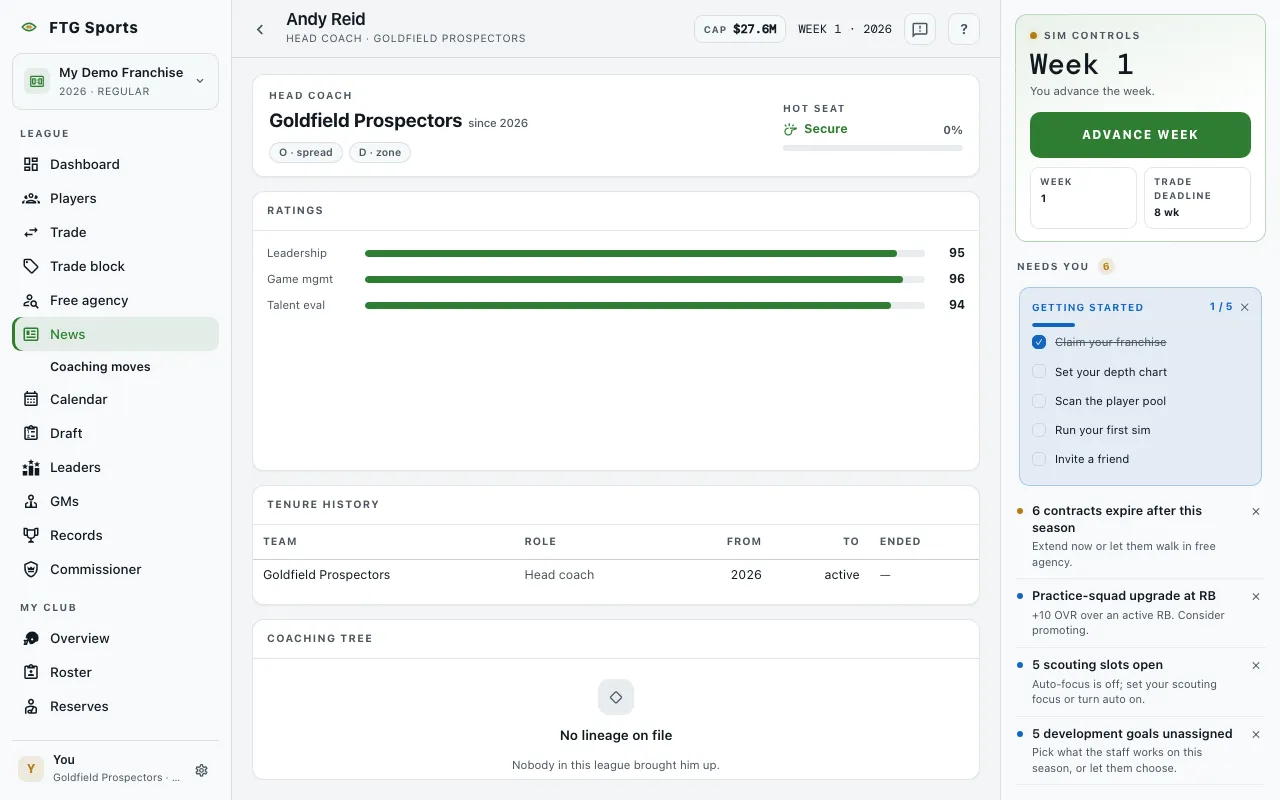
- Identity strip: the coach's role, the team (or "Unattached") and "since" the season the coach was hired. Offense and defense schemes show as O and D chips when the coach has them.
- Hot seat: a bar with a percentage and one of three labels, Secure, Heating up or Furnace.
- Ratings pane: a bar and a number for each rating. A head coach shows Leadership, Game mgmt and Talent eval. An offensive coordinator shows Offense, Development and Talent eval. A defensive coordinator shows Defense, Development and Talent eval. If there are no ratings, the pane says "No ratings yet".
- Season trajectory table, inside Ratings: one row per season with the same three ratings. It appears only when the coach has more than one season on record.
- Tenure history pane: a table with Team, Role, From, To and Ended. A job the coach still holds shows "active" under To. A new coach sees "No prior tenure".
- What the heat costs pane: a list of penalties the club pays, such as Locker-room drama, Play-calling, FA cost and Trade friction. It appears only when the seat is Heating up or Furnace.
- Coaching tree pane: Worked under lines naming the coaches who brought the coach up, with their roles. An empty tree says "No lineage on file".
What you can do
- Team name: opens that team's page.
- Column headings: click a heading in Season trajectory or Tenure history to sort. Both tables read oldest first until you sort.
- Coach name in Coaching tree: opens that coach's profile.
- Retry: appears if the coach fails to load. An unknown coach shows "Coach not found".