Appearance
Schedule
Schedule lists your club's season week by week. You use it to see the next opponent, past results and bye weeks, and to open the box score of a finished game.
How to get here
- Open the left rail and find the My club group.
- Click Schedule.
What you see
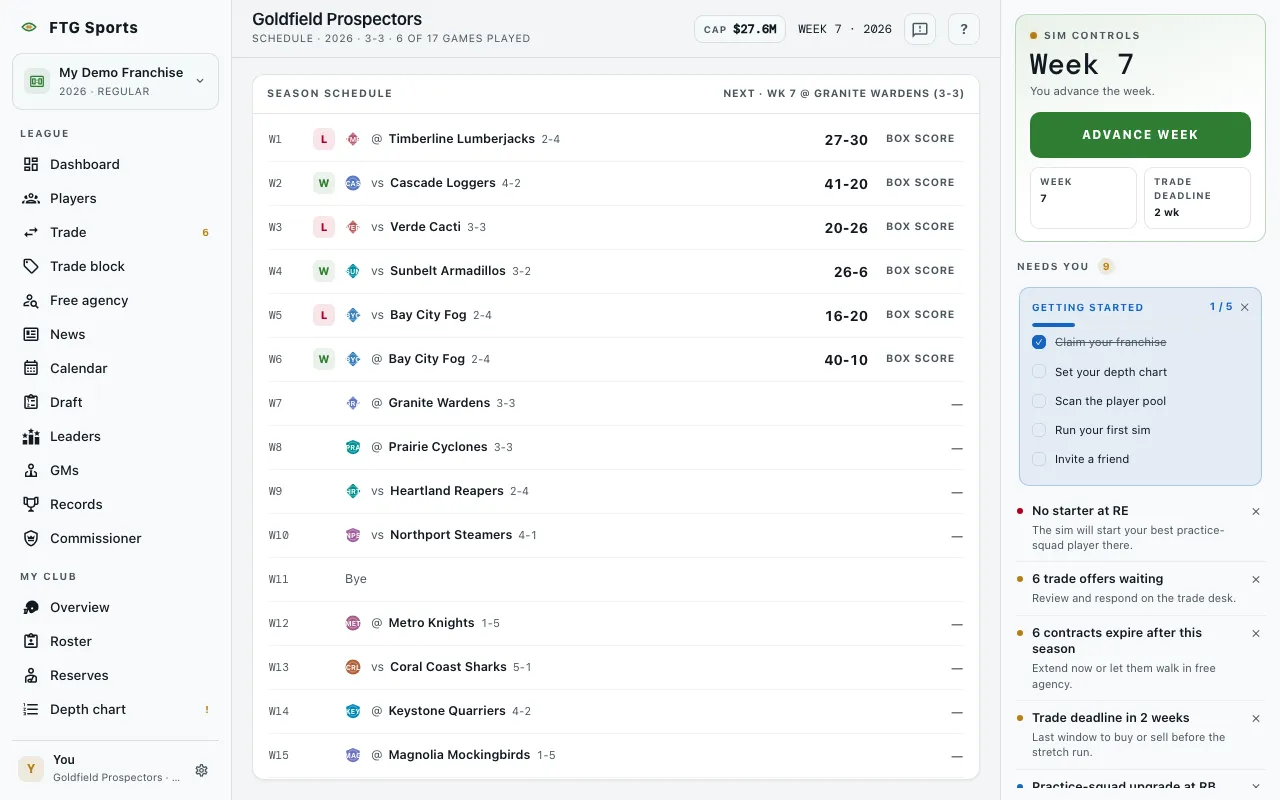 The top bar shows your club name, the season, your record and how many games you have played. The Season schedule pane lists one row for each week, from W1 to the last week of the season.
- The pane header shows your next game, which names the week, vs or @, the opponent and its record. It reads Season complete when no games are left.
- A played game shows a W, L or T mark, the opponent, vs for a home game or @ for an away game, the opponent's record, and the final score.
- An unplayed game shows the opponent and a dash in place of the score.
- A week with no game shows a quiet Bye row, so the week numbers read in order.
- If the league has no schedule yet, the pane says No schedule yet.
What you can do
- Click an opponent name: opens that club's page.
- Click a final score or Box score: opens the box score for that game. The Box score link is dropped on small screens, and the score link remains.