Appearance
My leagues
This is the list of every league you belong to. Open a league from here, start a new one, or join one with an invite.
How to get here
- Sign in. You land here until you open a league.
- From inside a league, select the button at the top of the left rail that shows the league name and season (on a phone, tap your club name at the top to open League and account, then select Switch league).
What you see
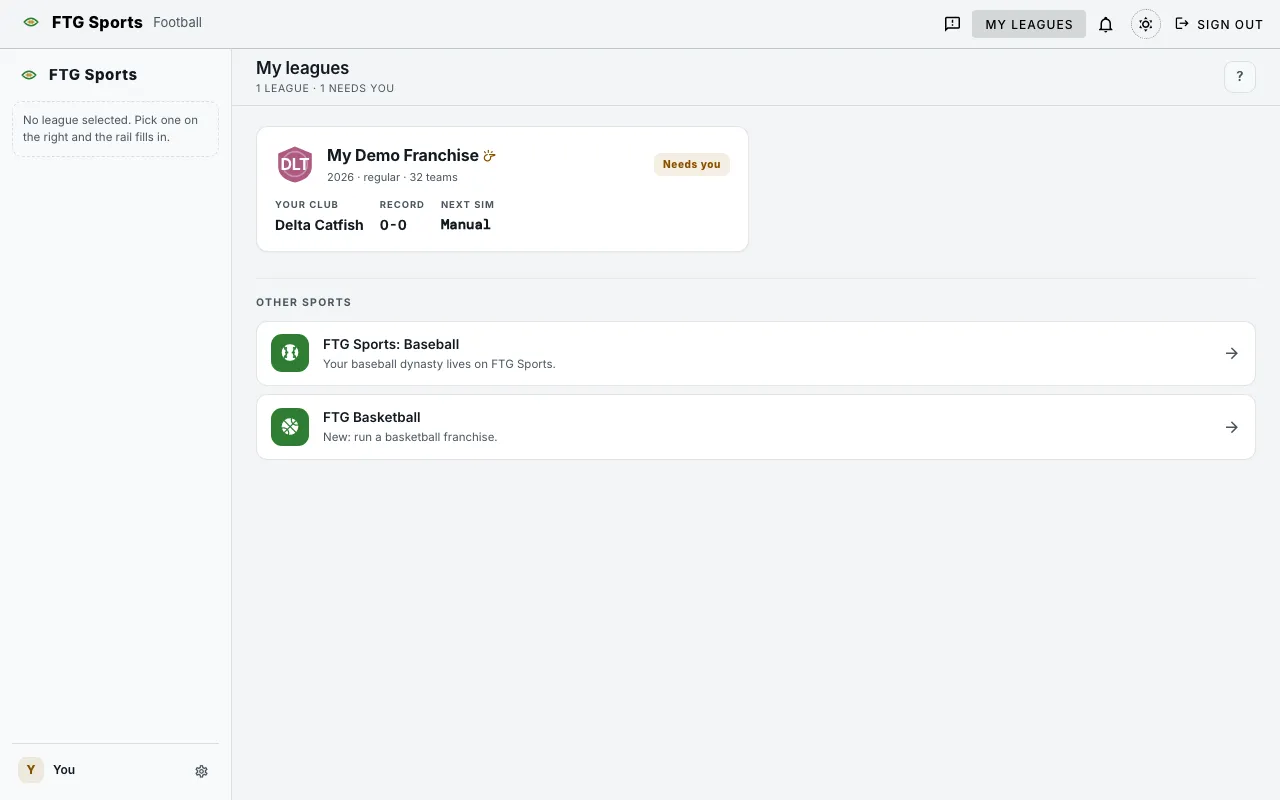
- Summary line under the title, such as "2 leagues · 1 needs you". It reads "Nothing running yet" when you have no leagues.
- Start your first league panel, only when you have no leagues. It says you run one team while the other 31 are AI GMs, and that you can play solo or invite friends. The steps after it read: claim a team, set your depth chart, focus your scouts, run the first sim.
- League cards, one per league. Each card shows the league name, a whistle icon if you are the commissioner, and a status tag, Needs you or Live.
- Your club, Record and Next sim on each card.
- Join via invite tile, last in the grid, with a box that says "Paste invite token". The hint under it reads "From a commissioner's invite link or token."
- Other sports at the bottom, with links to FTG Sports: Baseball and FTG Basketball.
- Couldn't load your leagues, with Retry, when the list fails to load.
A card says Needs you when you have not claimed a team, when the league is in the offseason, or when the league is on manual pace and you are its commissioner. Every other card says Live.
What you can do
- + New league: opens the Create league form. Guest accounts do not see it.
- Start a league: opens the same form from the first-run panel.
- League card: select the card to open that league's Dashboard.
- Join via invite: paste a token into the box and select the arrow. The arrow stays off until the box has text. Opening a commissioner's invite link brings up a Join a league form with League ID and Invite token. Select Join league to finish.
- ?: opens a short help note: "Pick a league to manage".
- Create league form: set the League name (80 characters at most), then choose:
- Who's playing?: Just me (you advance the sim with a button), Me + friends, casual (one game week every real week), or Active group (two game weeks every real week). Under Advanced, Set the clock myself lets you pick the game weeks per sim and how often it runs.
- Cap mode: Equal hard cap or Market tiers.
- Money: Show the money or No financials. This is permanent once the league exists.
- Ownership: Off, Owner goals or Goals and firing. With Goals and firing, a second choice sets what a firing does: Find a new club (the fired GM picks an open club, and the old club goes to the AI) or New ownership (the club is sold, the GM stays, and the new owner starts fresh). You can change it later. A change applies at the next season rollover.
- Contract talks: Full negotiations or Simple offers. You can change it later.
- Community roster URL (optional): load a custom roster file. See Custom rosters.
- Your franchise: pick the team you will run.
- Create league builds the league. The button stays off until the name has text. Keep the tab open while it builds.
- FTG Sports: Baseball and FTG Basketball links under Other sports: open your leagues list in that game.
- Game switcher: the button at the top left with this game's icon. Select it to see FTG Baseball, FTG Football and FTG Basketball, and select one to open that game. On a phone it opens a sheet from the bottom of the screen.