Appearance
Records
Records is the entry screen for the league record book. It shows one card for each section, with the headline that section holds now.
How to get here
- Open the League group in the left menu.
- Select Records. Its History, Hall of Fame, Champions and All-Pro entries sit under it.
What you see
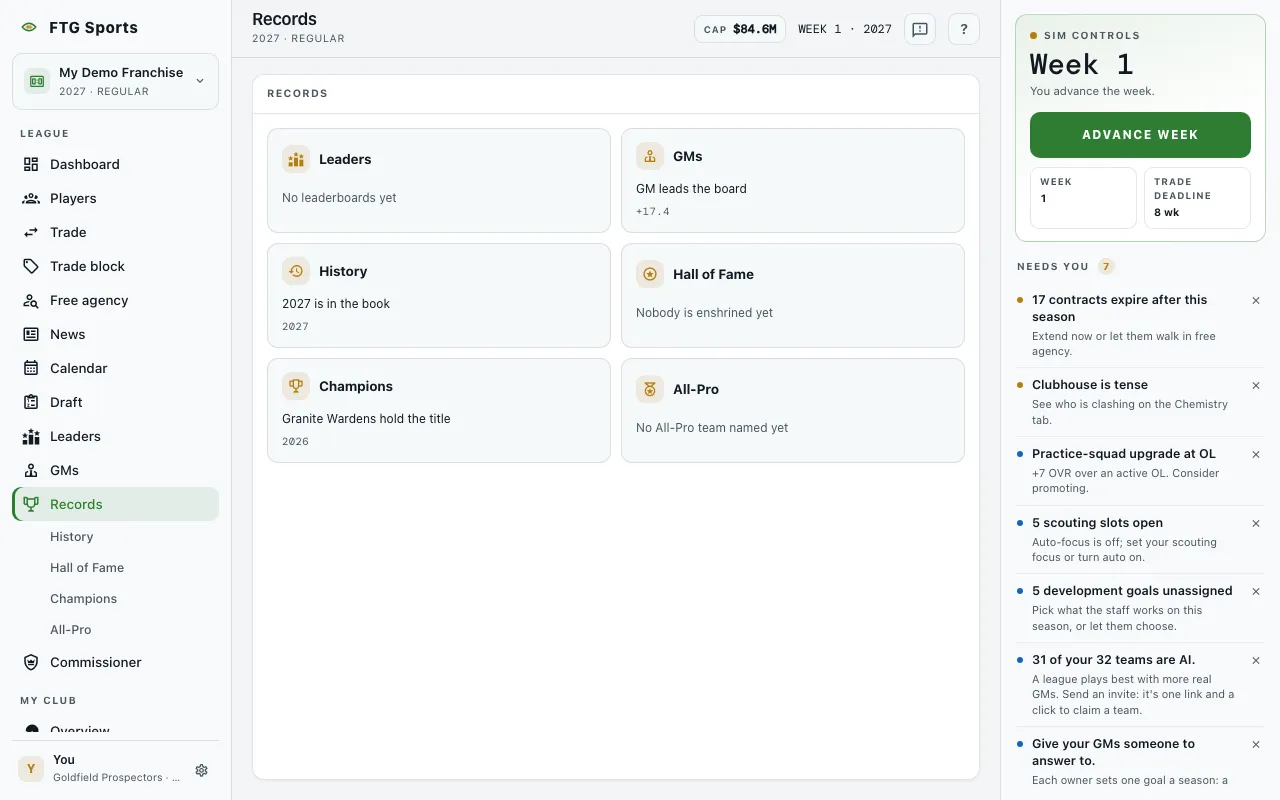 The screen is a grid of six cards. Each card has a section name and one live line. Some cards also show a season or a score on the right.
- Leaders: the passing yards leader, shown as "name, N passing yards", with the season.
- GMs: the GM at the top of the board, shown as "name leads the board", with that GM's score.
- History: the MVP of the latest season in the book, shown as "name took MVP", with the season.
- Hall of Fame: the newest inductee, shown as "name went in last", with the induction year.
- Champions: the reigning champion, shown as "team hold the title", with the season.
- All-Pro: the first-team player with the highest OVR, shown as "name headlines the first team", with the season.
A section with nothing in it yet shows its own empty message on the card. The six messages are No leaderboards yet, Nobody's been graded yet, No seasons in the book yet, Nobody is enshrined yet, No banners yet and No All-Pro team named yet. Play a season and the cards start to fill.
If one card fails to load, it says This one didn't load and the other cards stay as they are. If every card fails, the screen shows The record book didn't load.
What you can do
- Any card: opens that section. Every card is a link, even when it is empty or failed.
- Retry: appears only when the whole screen fails. It pulls the summary lines again.