Appearance
News
The News screen is the league's wire. Trades, injuries, signings and milestones land here, newest first, next to a column from the beat writer.
How to get here
- Open a league.
- In the left rail, under League, select News.
What you see
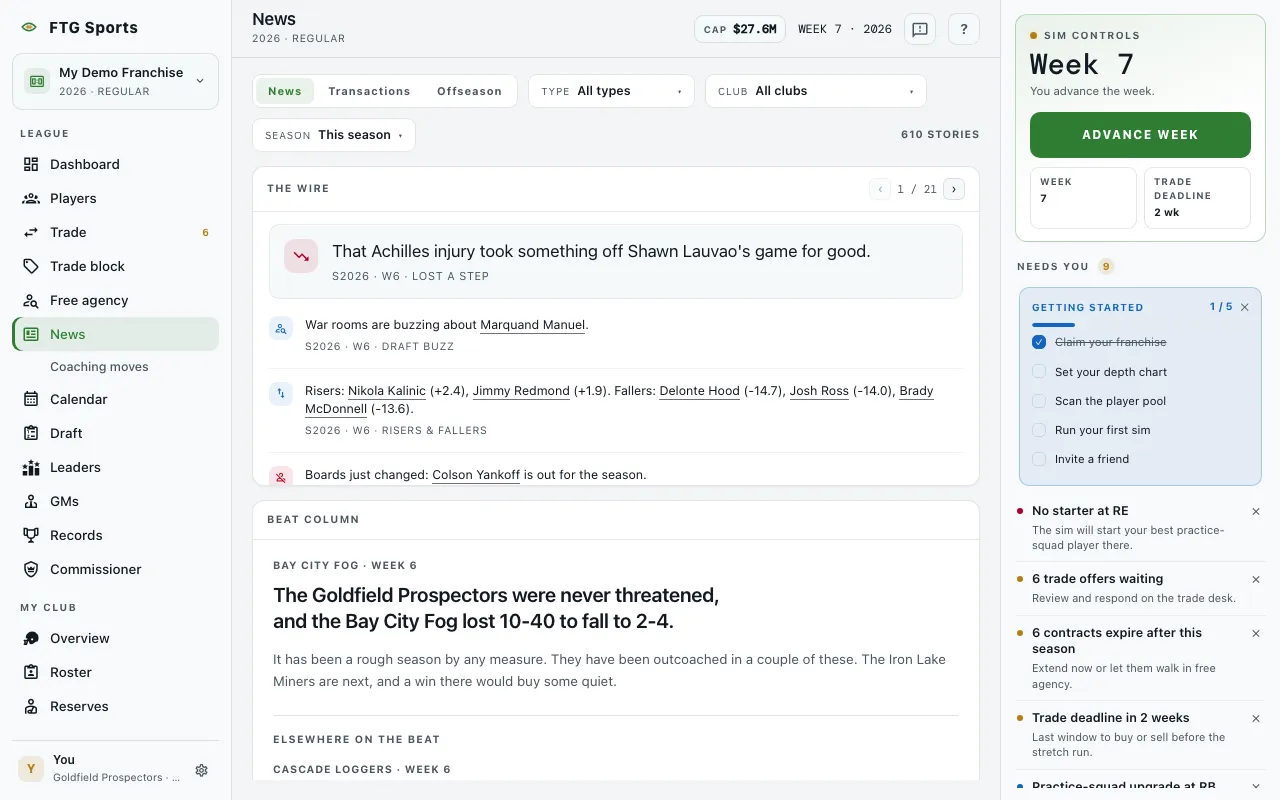
- Feed switch at the top: News, Transactions and Offseason.
- Type drop-down, on the News tab. It lists only the story types that exist in the loaded feed. Owner stories use the types Owner mandate, Owner check-in (at week 9), Mandate verdict, GM fired and New ownership. Mandate stories are for human clubs only. GM fired and New ownership show only in a league with owner firing on.
- Club drop-down, on News and Transactions. It filters to one team.
- Season drop-down, on News and Transactions, with All time and the seasons the league has played. A shorter range such as this week or this season is available when the league clock is running.
- Count at the right of the filter row.
- The wire pane: one story per row, each with an icon and a time stamp. A lead story sits above the list. Some runs of similar stories fold into one line that you can open. When there are many stories, Newer stories and Older stories arrows page through them, with a page count.
- Beat column pane: the beat writer's latest column, with a byline, a lede, and body text. Elsewhere on the beat lists older columns. It reads "No column filed yet" until a week is played.
- On the Offseason tab, the wire and the beat column give way to two panes.
- Offseason summary: one block per club, with the club name, record, a "N drafted" count and a net AV figure. Two columns follow: In and Out, each with an AV column. A row shows the player, position, how the player came or went (and the other club) and the value. They read "Nobody in." and "Nobody out." when empty. A button reads "+N more worth 0.0" and then "Hide the N worth 0.0". Your own club is highlighted. An Offseason drop-down appears when the league has more than one offseason. It reads "No offseason yet" until a league has been through one.
- Clubs by veteran AV: all clubs ranked by net AV. A note says "Free agency is still open, so these numbers only count moves made so far." while free agency runs. A footer says drafted players carry a scouting grade instead. It reads "Nothing to rank yet" before the moves start.
- The wire didn't load, with a retry button, if the feed fails.
What you can do
- News, Transactions and Offseason: switch the feed.
- Type, Club and Season: filter the wire.
- Clear filters: shows when a filter hides every story.
- Newer stories and Older stories: move between pages.
- A player or team name in a story: opens that player or team.
- A club in Clubs by veteran AV: jumps to that club in Offseason summary.
- Offseason drop-down (on the Offseason tab): pick which offseason to show.
- +N more worth 0.0: shows the rest of the club's zero-value moves.
- A folded line: select it to open the run of stories inside it.