Appearance
Free agency
This screen is the free-agent market. In the offseason you bid on free agents in sealed rounds. During the season you sign them on the open market, first come, first served.
How to get here
- Open a league.
- In the left rail, under League, select Free agency. A badge shows when a round is open.
What you see
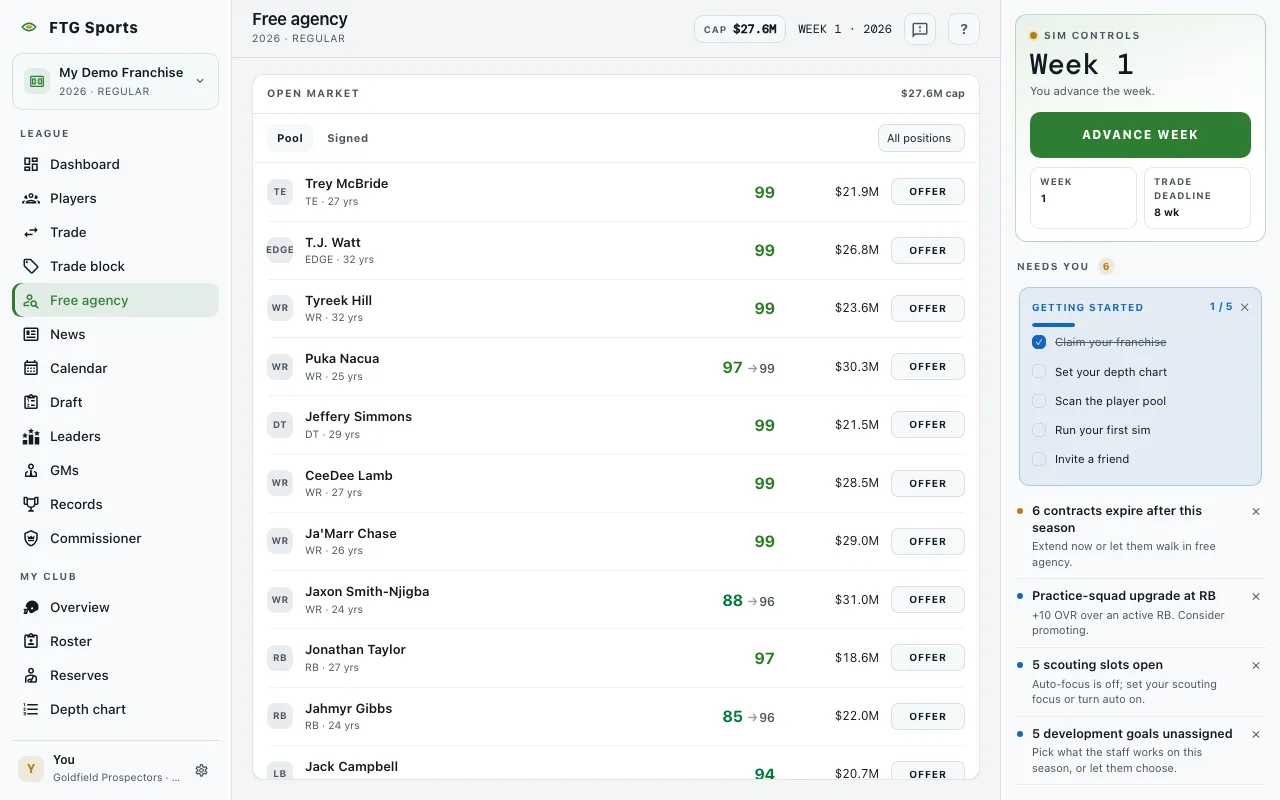
- Pool pane. Its title changes with the phase: Open pool · Round 1 of 5 (the round numbers change), Open market in season, and Free agency between rounds. On the My bids tab the title reads "My bids · Round N". On the Signed tab it reads "Signings · year". A CLOSES IN clock and your cap room show at the top right when money is on.
- Last round: the outcome lines from the round that just resolved. A lost bid says why, for example "Lost (name): not enough cap room to fit the deal."
- Tabs: Pool, My bids (offseason only, with a count) and Signed (with a count).
- Position filter on the Pool tab: All positions, My needs (with a count), then each position.
- Pool rows: position, name, age, OVR and potential, and the asking price when money is on. The button on the right reads Bid, or Your bid if you already bid, or Offer in season. The potential is your staff's read, and the pool is sorted by that read, so another club can see a different order.
- My bids rows: the player, years, bonus and the amount, with Pull while the round is open and Sealed once it closes.
- Signed rows: who signed this season, for how many years, and for how much.
- Bid pane on the right, offseason only. It shows Asking, Your offer, Term, Signing bonus, The deal (total value, cap hit, cap room after), a Front office read, and Exclusive group buttons. The button reads Place bid. When the round resolves, the game checks each win against your cap room, using the deal's first-year cap hit. A win that does not fit is lost, and the player goes to the next bidder.
- Empty states: The market is shut before the offseason, and Free agency has closed after the window ends.
What you can do
- Pool, My bids and Signed: switch tabs.
- Position filter: narrow the pool. My needs shows the positions your team needs.
- A player name: opens the Player page.
- Bid: in the offseason, select the player, set the offer, term and bonus in the bid pane, and select Place bid. A confirmation titled "Bid on (name)?" asks first. Bids are sealed within a round, and you will not see the others.
- Exclusive group: put bids in one group so you win at most one of them. No group leaves a bid on its own.
- Pull: takes a bid back while the round is open.
- Offer: in season, opens an offer form for the player: Your offer, Term, and The deal. The price is set by the front office. Select Cancel to back out.