Appearance
Draft report
This screen gives every team a letter grade for its draft class. Use it after the draft to see who got value, who reached, and where your own class stands.
How to get here
- In the left rail, find the Draft item in the League group.
- Open Draft. Draft report appears under it.
- Click Draft report.
You can also click Draft report in the Draft room pane when no draft is running.
What you see
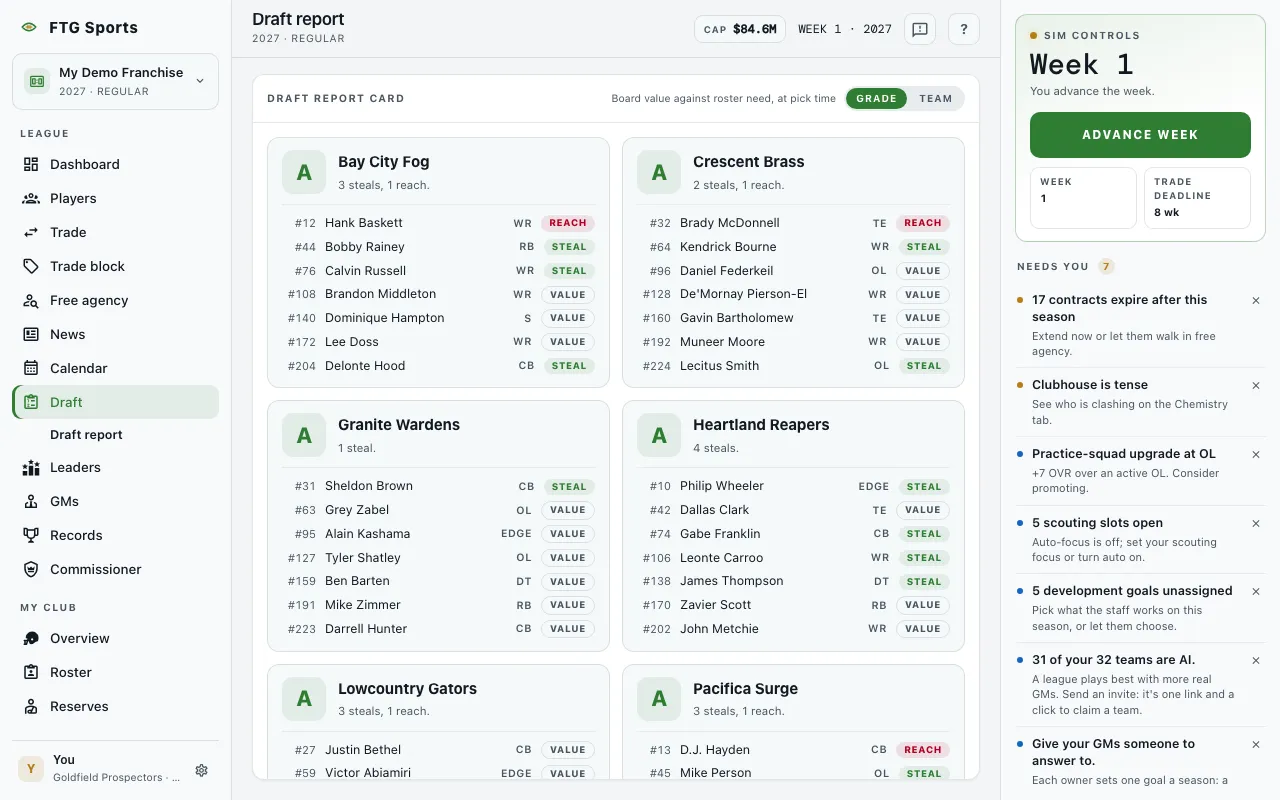 One pane, Draft report card. The header carries the note "Board value against roster need, at pick time" and a sort switch. Grades compare teams within the same class, so a weak class still has a top team.
Each team has a card:
- A large letter grade.
- The team name and a short written summary.
- A list of that team's picks. Each line shows the pick number, the player, the position and a tag: Steal, Value or Reach.
Report cards are written the moment the draft finishes. Before that, the pane says "No report yet".
What you can do
- Grade: sorts the cards from best grade to worst. This is the default.
- Team: sorts the cards by team name.
- Team name: opens that team's page.
- Player name: opens the player's page when the player has a record in the league.
- Retry: appears if the report fails to load.