Appearance
Owner's box
The Owner's box shows what your club's owner wants from the season, how far along you are, and how the owner rates your record so far.
How to get here
- Open the My club group in the navigation.
- Select Owner's box.
What you see
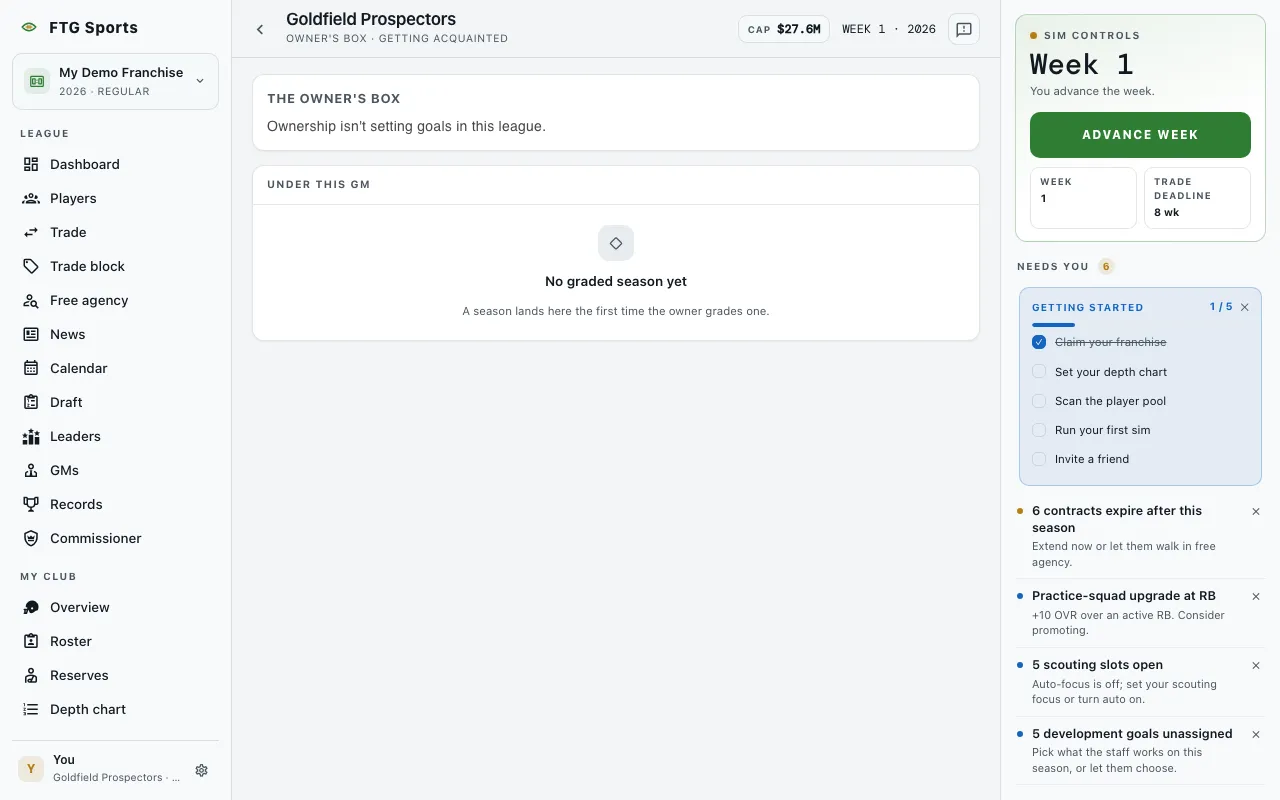 This screenshot shows a league where ownership is not setting goals.
The title bar names the club. Its sub-line shows the owner's standing and, for your own club, how many graded goals you have met.
- The Owner's Box card: a heading with the owner's standing, such as Getting acquainted, Backing the GM, Satisfied, Restless or At odds. It also shows the season and a verdict: Met, Not met, Set aside or Not yet graded. Below that you see the owner's name and a quote when the game has them.
- What the owner wants this season: one goal in plain words, for example "Spend to contend" or "Win while keeping the books clean". Under it are progress bars, one for each half of the goal, with a notch that marks where a club exactly on pace would be today. The half that decides the grade carries the label decides it. A card note reminds you that both halves have to happen, and doing half counts for nothing. A line gives the tenure record. When ownership leans on the head coach for a missed goal, the line adds a note such as "Ownership has made the head coach's seat hotter."
- Under this GM: your own club only. A table of graded seasons with Season, Goal and Result. Result reads Met, Not met or Set aside. Before the owner grades a season, the pane says there is no graded season yet.
Some leagues have no owner goals. In that case the card says ownership is not setting goals.
In a league set to Goals and firing, an owner whose confidence runs out fires the GM at the season rollover. See When the owner fires you.
What you can do
- Season, Goal and Result column titles: sort the tenure table. The pane has no other controls.
You can open another club's Owner's box from its page to read that owner's goal. The tenure table shows only for your club.