Appearance
Season recap
The season recap tells the story of your club's year in text, from the key moments to the draft class.
How to get here
- Open the League group in the left menu and select Dashboard.
- In the postseason or the offseason, select the prompt Your season is in the books (it names the year). It says to read the recap.
You need a club in the league. The top bar reads "year in review" and shows your club and record.
What you see
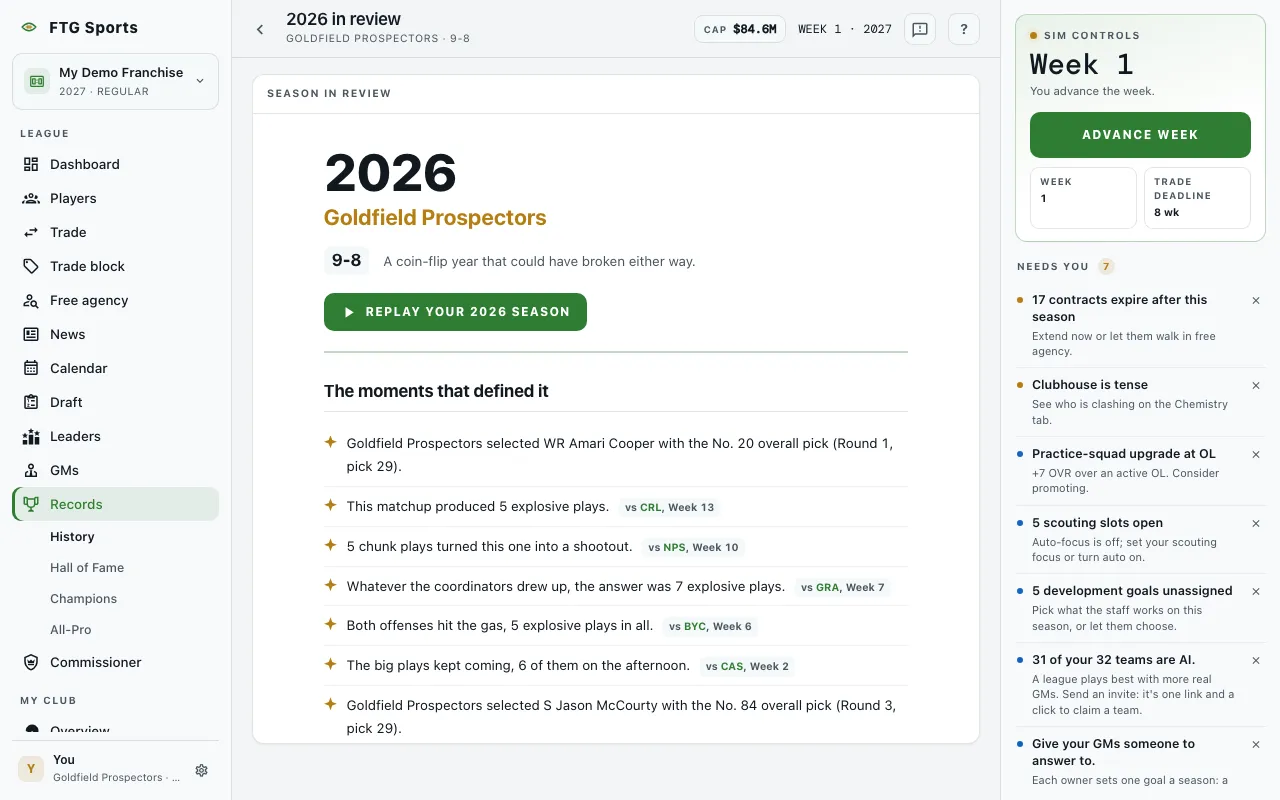 The pane is called Season in review. It opens with a masthead: the year, your club, the record, and a one-line verdict on the year. After that come these sections. A section is left out when the game has nothing for it.
- The moments that defined it: a list of key moments. A game moment ends with "vs" the opponent and the week.
- Player report cards: one card for each player, with a tag of Career year, Strong year, Depth piece or Down year, a signature line and a low point. A card opens the player page. The tag comes from the player's AV for the season. Career year means his best AV season so far and Down year his worst, once he has an earlier season to compare. Otherwise he gets Strong year if his AV is in the top half at his position this season, or Depth piece if it is in the bottom half.
- Negotiations: contract talk storylines from the year.
- In the locker room: friction and contract noise, each with a tag of Friction, Frustration, Holdout, Tension or Storyline.
- The draft class: each player from the class, with a Verdict of Steal, Bust or On track.
- Hardware: the awards from the year.
- On the hot seat: a short hot-seat note, when there is one.
If the year has a record but no stories yet, the recap says "The book on this season is still being written. Storylines fill in as the year plays out."
Before a season has been played, the screen says This season isn't in the books yet. The recap is written the week the season finishes. If you do not run a club in the league, it says No recap to show.
What you can do
- Replay your season: opens a full-screen replay of the year, with the season number in the label. Tap to step through it. The slides cover your record, the season game by game, your biggest win and toughest loss, your best player, the supporting cast, the locker room, negotiations and draft steals, then a closing line. A slide with nothing to show is skipped. Close it to return to the recap.
- Player and opponent names: open the player page or the club page.
- Player and Verdict headers (The draft class): select one to sort. Verdict puts the steals first.
- Back arrow (top bar): returns you to the screen you came from.
- Retry: appears if the recap fails to load.