Appearance
Commissioner
The Commissioner desk is where the commissioner sets league rules, moves clubs between GMs and the AI, reviews completed trades, and invites people.
How to get here
- Open the League group in the left menu.
- Select Commissioner. Only the commissioner sees this item.
If you are not the commissioner and you reach the screen another way, it shows This desk isn't yours. Only the commissioner sets league rules, moves clubs between GMs and the engine, or reviews a completed trade.
What you see
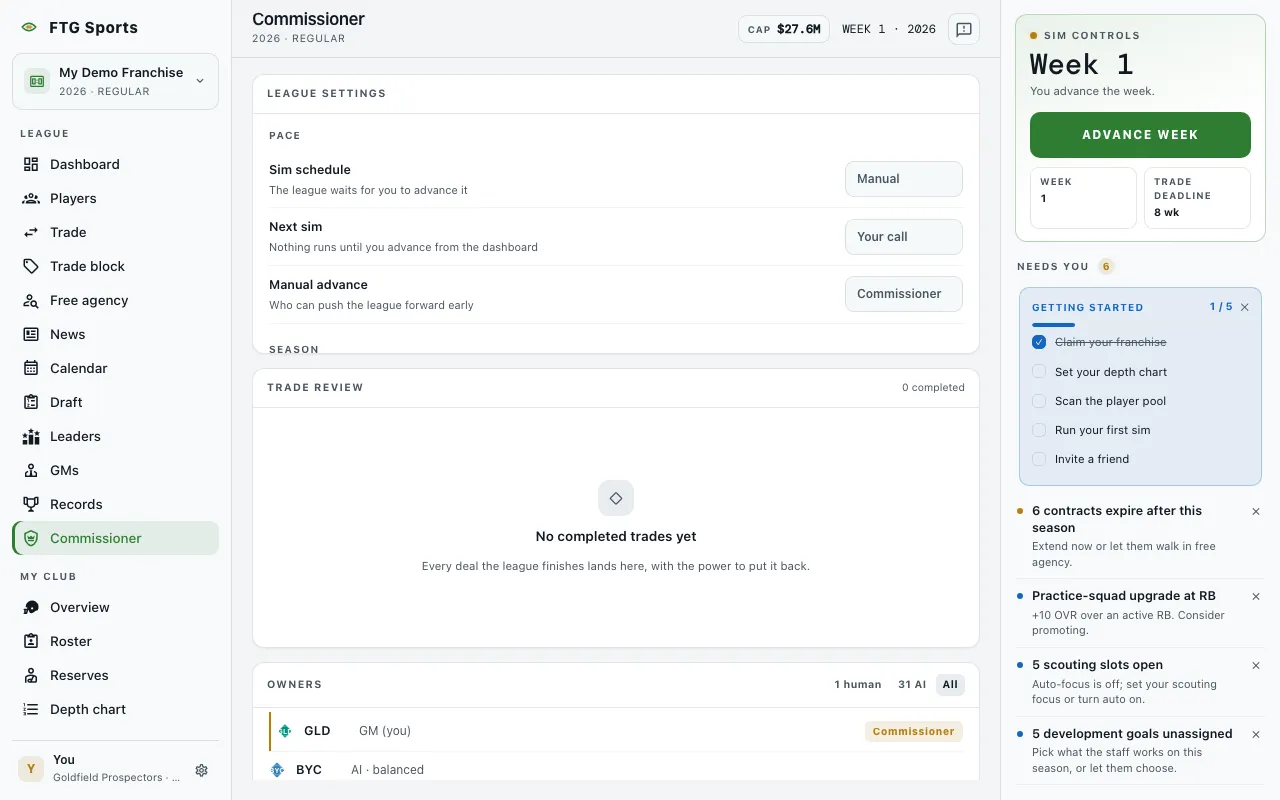
- League settings: rows in four groups. Pace has Sim schedule (Scheduled or Manual), Next sim and Manual advance (Commissioner). Season has Phase (Regular season or Offseason) and Money (Shown or Hidden, set when the league was made). Competition has Owner goals (On or Off), Owner firing (On or Off, only while owner goals are on), When a GM is fired (Find a new club or New ownership, only while owner firing is on) and Contract talks (Full negotiations or Simple offers). The end of the line has Delete this league. Guests do not see that last group.
- Trade review: every completed trade, with a count such as "N completed". Each trade shows both clubs, what each club sent, and the date. With no trades, it says No completed trades yet.
- Owners: one row for each club, with its crest, short name, owner and a tag (Commissioner or Human). AI clubs show as "AI" with their posture. Filter buttons show the human count, the AI count and All.
What you can do
- Owner goals: opens a confirm that turns owner goals on or off for all clubs. The confirm shows the before and after.
- Owner firing: opens a confirm that turns owner firing on or off. When on, an owner whose confidence in a human GM has run out fires that GM at the season rollover. AI clubs are never affected. Turning it off does not undo a firing already made.
- When a GM is fired: opens a confirm that switches between Find a new club and New ownership.
- Contract talks: opens a confirm that switches between Full negotiations and Simple offers. A talk already under way keeps its remaining offers.
- Delete this league: opens a confirm. You must type the league name, then select Delete forever. Nothing can be recovered.
- Veto trade: opens a confirm, then Veto the trade returns every player and pick to the club that had them. Use it for a deal that broke the league, not one you disagree with.
- To AI: on a club run by a human, takes the club off its GM and gives it to the AI after a confirm (Flip to AI). The GM keeps league membership. This works on your own club too, and you keep the commissioner role.
- Claim: on a club with no human, assigns the club to you.
- Hand over: on a club run by another human, hands the commissioner seat to that GM after a confirm (Hand it over). You become a GM and keep your club. You cannot take the seat back yourself.
- Copy invite link: copies the league's invite link. Guests do not see it.
- More ways to share: opens the share sheet with the link. Guests do not see it.
- All, human and AI filters: narrow the Owners list.
To advance the league early, use the Next sim card in the panel on the right. This screen shows who may do it but has no advance button.