Appearance
Outlook
The Outlook looks ahead. It shows where your roster is strong or thin, which contracts end soon, and what your picks and money look like over five seasons.
How to get here
- Open the My club group in the navigation.
- Select Outlook.
What you see
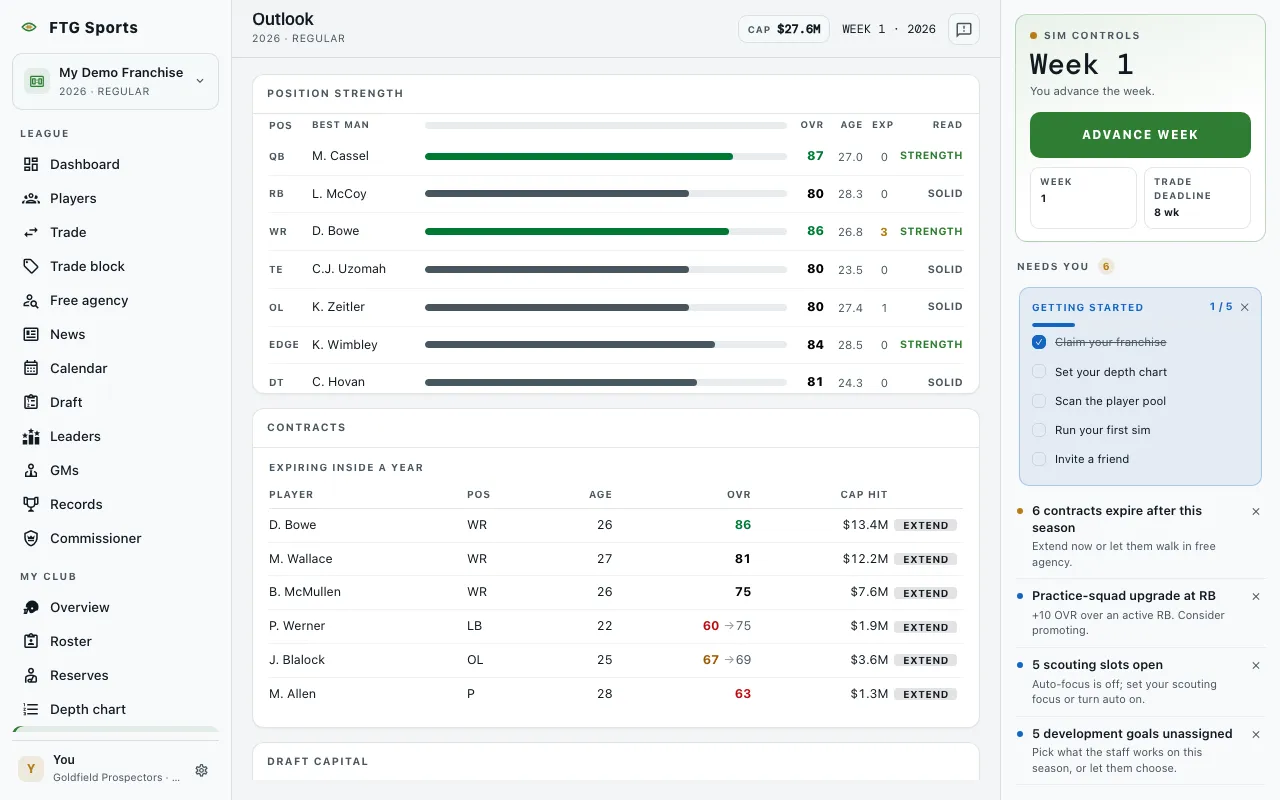
Four panes.
- Position strength: one row per position. The columns are the best player there, a strength bar, OVR, AGE (average age at the spot), EXP (contracts at the spot that expire within a year) and Read. Read is a one-word verdict: Hole, Thin, Solid or Strength. The EXP number turns to a warning color at three or more.
- Contracts: a table headed Expiring inside a year, with Player, Pos, Age, OVR and, when money is on, Cap hit. A second table, Aging curve · 30 and up, lists players aged 30 or older with a Stage of Prime, Aging or Decline. If nothing is due, the pane says nothing is coming due.
- The five-year plan: a short written summary of your outlook, followed by one card for each season with a value and a note.
- Draft capital: a grid of seasons by rounds R1 to R7. A mark in a cell shows whether you own the pick, traded it away, or acquired it. A star marks a compensatory pick. Hover over a mark to read its label.
Click a column title in the contract tables to sort.
What you can do
- Player name: opens the player page.
- Extend: on an expiring row, if you manage the club. Opens a dialog to re-sign the player. The button is replaced by Next year when the player's final season is not this one yet.