Appearance
Overview
Overview is the home page for your club. It shows how the club is doing, how the last games went, who is in your lineup, and who is hurt.
How to get here
- Open your league.
- In the left rail, under My club, click Overview.
The page has four tabs: Overview, Games, Squad and Roster. You land on Overview. Roster has its own rail entry and its own page: Roster.
What you see
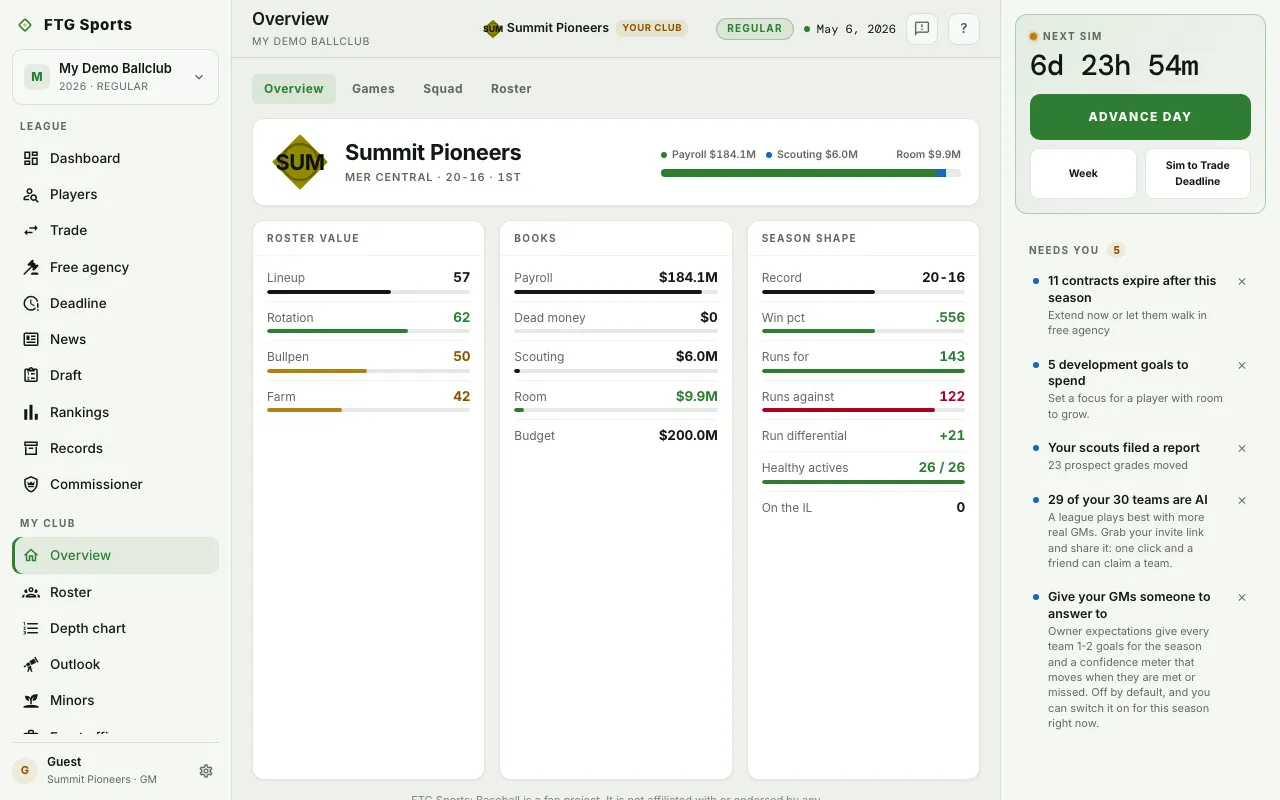 On the Overview tab:
- Club card: your club name, a line of details, and a row of championship years. The row is missing if the club has never won.
- Spending bar: how payroll and scouting split the budget, and what is left free.
- Roster value: a grade for Lineup, Rotation, Bullpen and Farm.
- Books: Payroll, Dead money, Scouting, Room and Budget.
- Season shape: Record, Win pct, Runs for, Runs against, Run differential, Healthy actives and On the IL.
On the Games tab:
- Recent games: your latest results.
- Next up: your upcoming games, with Date, Opponent, Probables (starting pitchers, yours first) and Win % (your chance to win).
On the Squad tab:
- Starting lineup: your batting order with a stat line for each hitter.
- Hot & cold: the best and worst recent form, in a Batters group and a Pitchers group. Each group has a minimum number of plate appearances or innings.
- Injuries: each hurt player, marked day to day or on the injured list. It reads "Everyone is healthy." when nobody is hurt.
- Development: your prospect development plan. It shows on your own club only.
What you can do
- Overview, Games, Squad, Roster tabs: switch views of the same page.
- A game in Recent games: open its box score.
- A game in Next up: open the Schedule.
- A player name in the lineup, Hot & cold or Injuries: open that player's page.
You can open another club's Overview from a link. You see the same panes there, except Development.