Appearance
Schedule
Schedule is your club's calendar. It lists every game by month, with results for games played and opponents for games ahead.
How to get here
- Open your league.
- In the left rail, under My club, click Schedule.
What you see
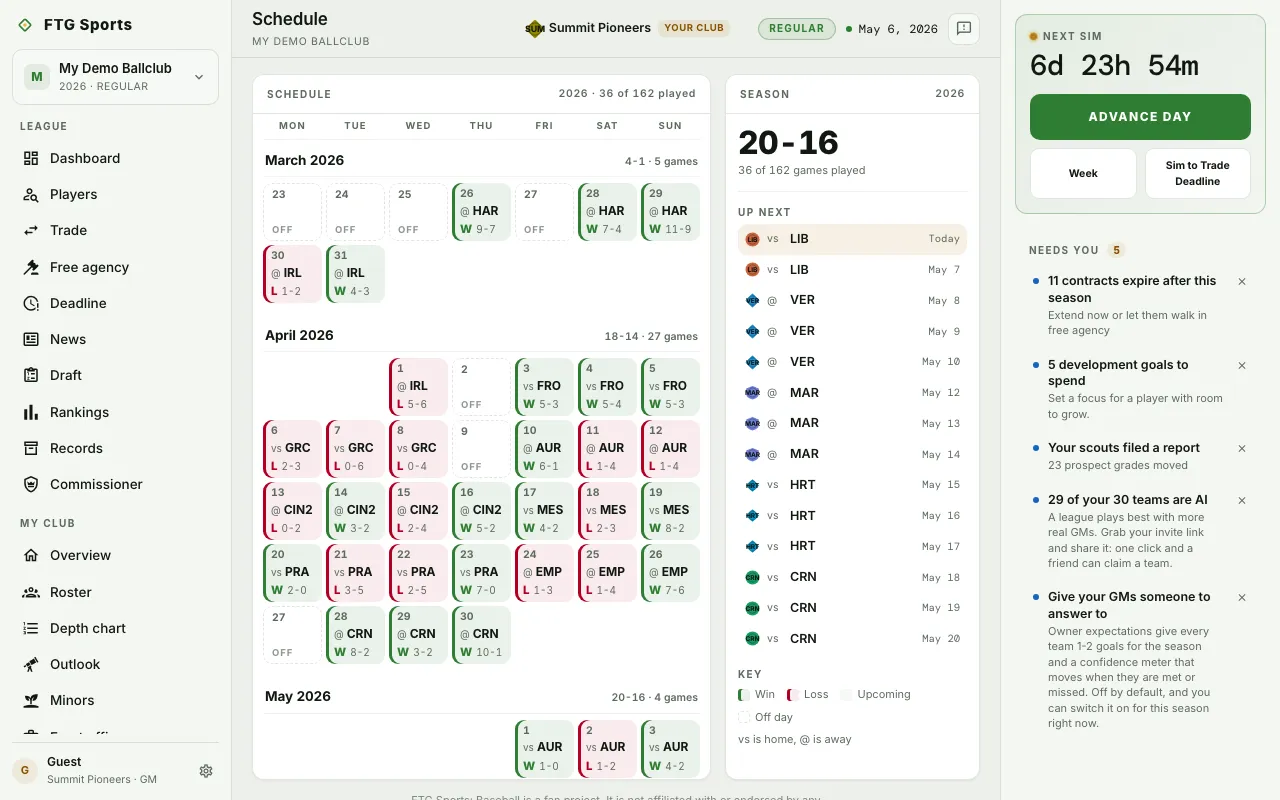
- Schedule: a month-by-month calendar, Mon to Sun. A game day shows the date, vs (home) or @ (away), and the opponent. A played game adds W, L or T and the score. A day without a game says Off. A week without games shows an Off week band. A doubleheader shows DH and both games. Each month heading shows your record and games played that month. Today is highlighted.
- Season: your win-loss record and games played out of the total. Up next lists your next games. Key explains the colors: Win, Loss, Upcoming and Off day.
In the offseason there is no calendar. The page says the next one appears when the new season is set. If your club has no games yet, it says the sim may still be building the season.
What you can do
- An opponent abbreviation in the calendar: open that club's page.
- A game in Up next: open that club's page.
- Retry: load the schedule again after an error.