Appearance
Leagues
This is the list of every league you belong to. Open a league from here, start a new one, or join one with an invite.
How to get here
- Sign in. You land here until you open a league.
- From inside a league, open the account menu and select My leagues.
What you see
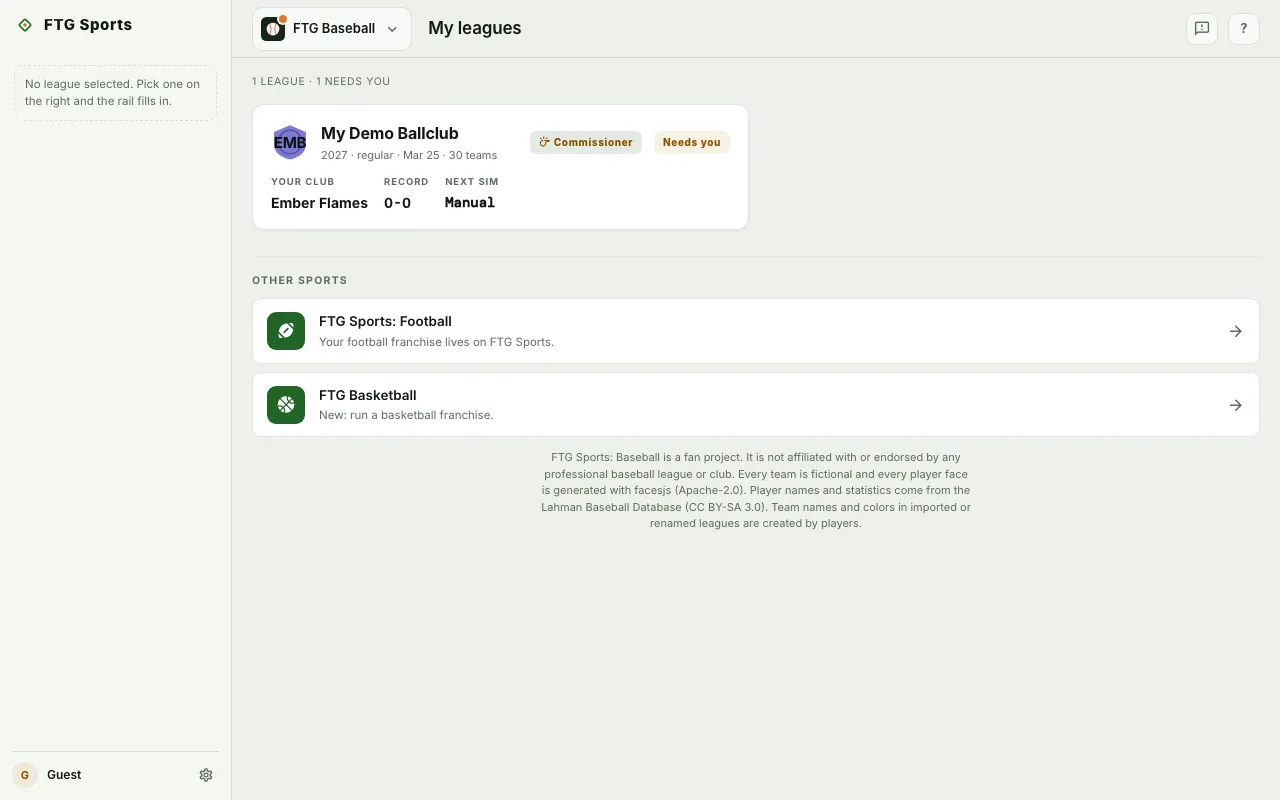
- Summary line at the top, such as "2 leagues · 1 needs you". It reads "Nothing running yet" when you have no leagues.
- Start your first league panel, only when you have no leagues. It says you run one club while AI GMs run the others, and you can play solo or invite friends. Its steps read: claim a club, set your lineup, run the first sim.
- League cards, one per league. Each card shows the league name, your role (Commissioner, GM or Spectator) and a status tag, Needs you or Live.
- Your club, Record and Next sim on each card.
- Join with an invite tile, last in the grid, with a box that says "Paste the invite link or code".
- Other sports at the bottom, with links to FTG Football and FTG Basketball.
- Notices when needed: "That league isn't open to you", "Guests can't start a league", "That invite didn't work", a "is gone" confirmation after a delete, and "Could not load your leagues" with Retry.
A card says Needs you when you have not claimed a club, when the league is in the offseason, or when the league is on manual pace and you are its commissioner. Every other card says Live.
What you can do
- + New league: opens the create-league form. Guest accounts do not see it.
- Start a league: opens the same form from the first-run panel.
- League card: select the card to open that league's Dashboard.
- League actions (the three-dot button on a card): commissioner only, never for guests. League settings opens the commissioner page. Delete league opens it at the delete section.
- Join: paste an invite link or code, then select Join. The button stays off until the box has text. The league's commissioner sends you the invite.
- Dismiss: closes a notice.
- FTG Football and FTG Basketball links under Other sports: open your leagues list in that game.
- Game switcher: the button at the top left with this game's icon. Select it to see FTG Baseball, FTG Football and FTG Basketball, and select one to open that game. On a phone it opens a sheet from the bottom of the screen.