Appearance
News
News is the running log of your league: game recaps, trades, injuries, call-ups, awards, and in the offseason, draft picks, signings and retirements. The newest items come first.
How to get here
- Open your league.
- Select News under the League group in the navigation.
What you see
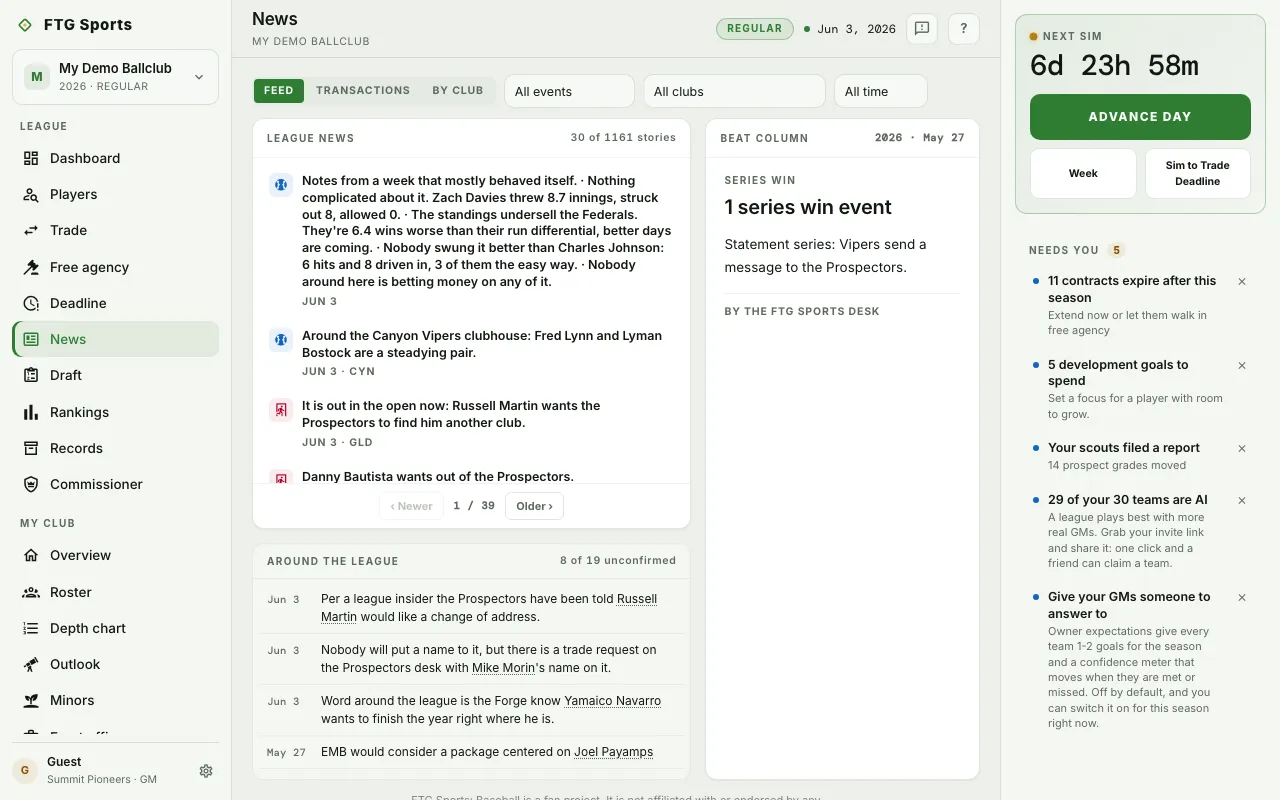
- Surface buttons across the top: Feed, Transactions and By club.
- Filters beside them. Event type (starts at All events) shows only on Feed. Club (starts at All clubs) shows on Feed and Transactions. Range (All time, This week, This season) shows on Feed and By club.
- League news, the Feed list. Big moments get a featured write-up. Routine ones, such as a batch of injuries, fold into one row. A page counter sits at the bottom.
- Beat column, beside the feed. It holds the day's column, or reads "No column filed today."
- Around the league, under the feed. It holds unconfirmed reports and rumors. They are kept apart from the record and do not count in it, because the sim invents them and some are false.
- Transactions, a page-by-page ledger of signings, trades and other moves.
- By club, a short digest for each club. Your own club carries a Your club badge.
What you can do
- Switch surface: select Feed, Transactions or By club. Your filters carry across.
- Filter: pick an event type, a club or a range. The choices are saved in the page address, so you can share or reopen the view.
- Expand a folded row: select it to see the batch in full.
- Page: use the pager to move through older items.
- Select a player or club name: opens that page.
- See this club's full feed: from By club, opens that club's feed.