Appearance
Player season retrospective
This is a review card for one player in one season. It sums up how the year went, with its best moments.
How to get here
- Open a player card. See Player.
- In the Career pane, find Past seasons.
- Click the season you want.
What you see
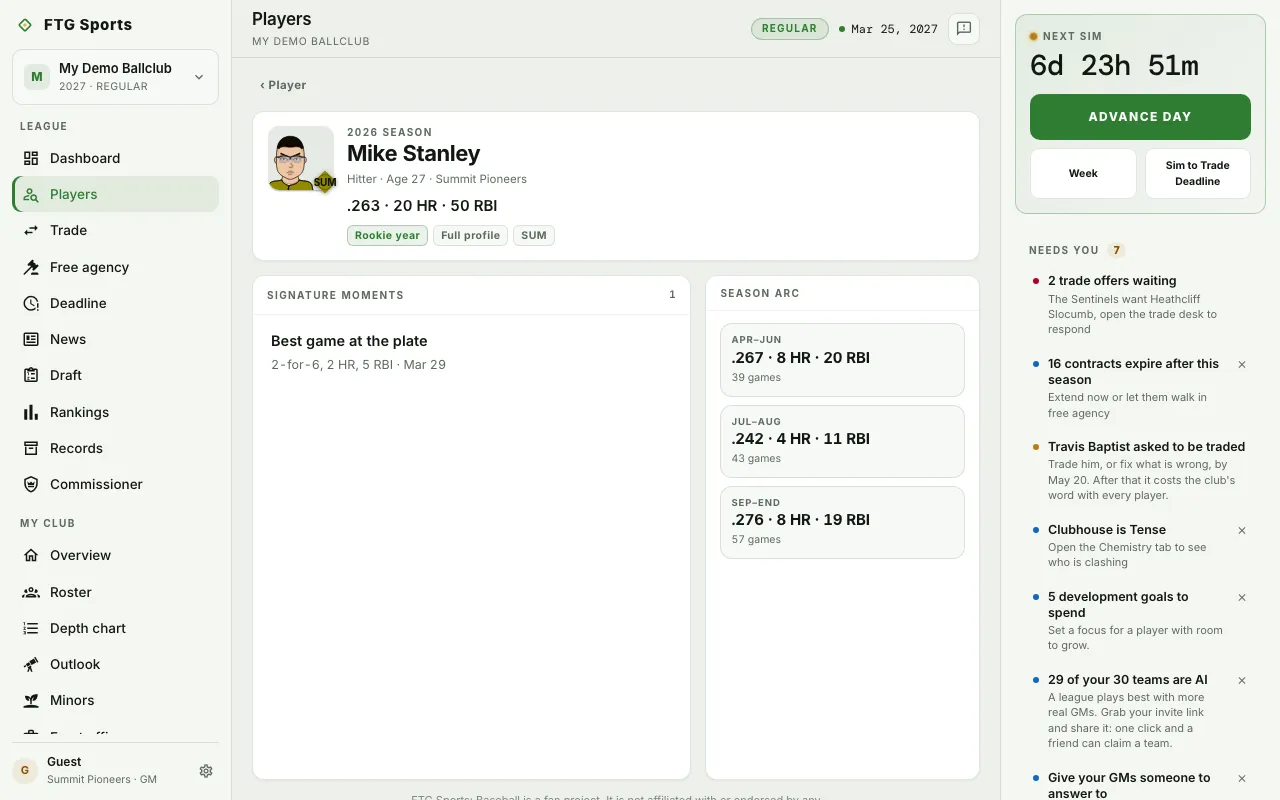
- Identity card: the player's name, the season, and "Hitter" or "Pitcher" with the age and club. It carries a headline line for the season and a verdict chip when there is one. If the player played for more than one club, a row under it shows each club's line.
- Signature moments: a list of standout games and milestones, with dates. A season with nothing notable says "Quiet season. No standout games or milestones recorded."
- Season arc: the year split into periods, each with a line and a games count. Milestones reached appears below it when the player hit any.
What you can do
- ‹ Player: returns to the player card.
- Full profile chip: opens the player card.
- Club chip or club abbreviation: opens that club's page. A season split across clubs has no single club link.