Appearance
All-Star game
The result of one season's All-Star Game. It fills in after that game is played, partway through the season. Before then it reads "The All-Star Game hasn't been played this season."
How to get here
- Open the League menu.
- Open Records, then select History.
- In the Seasons pane, find the All-Star list and select a season's All-Star Game line.
The menu has no entry for this screen. Each page belongs to one season, and the list starts at the current season.
What you see
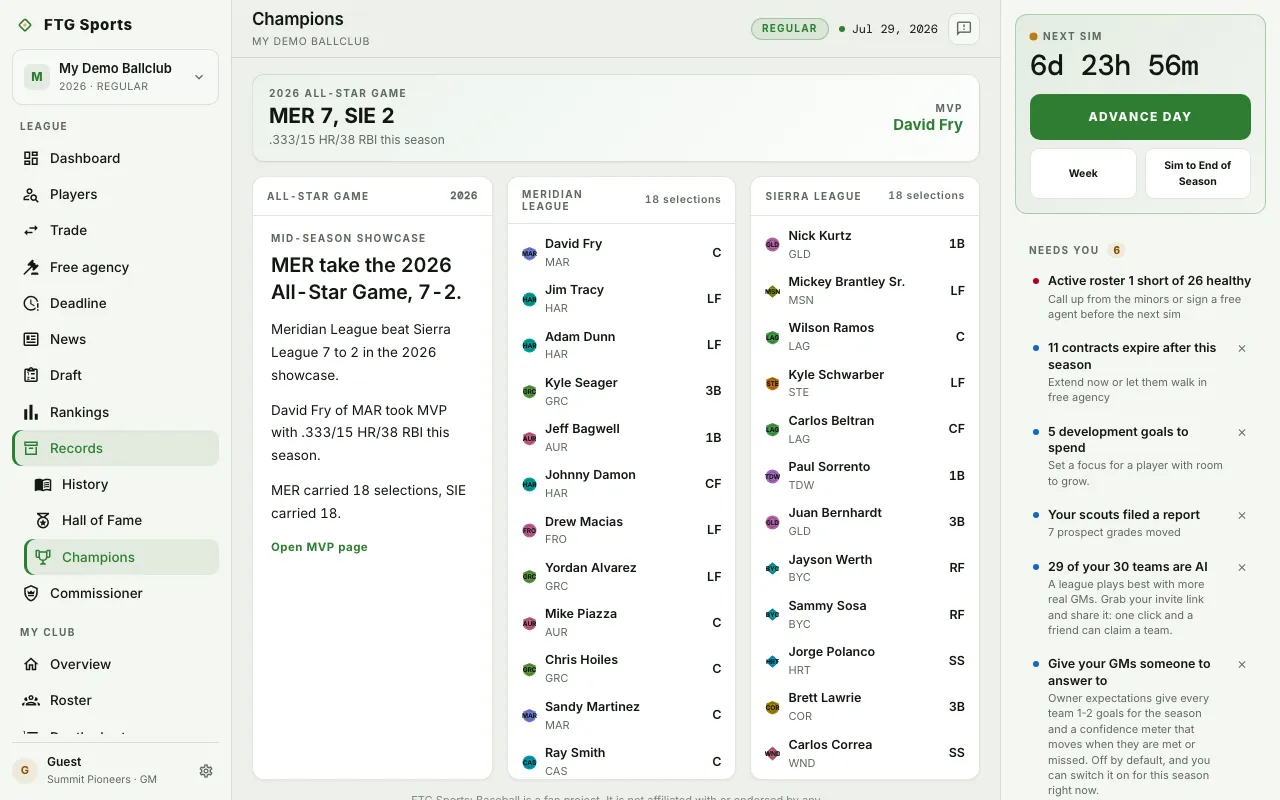
- Hero banner: the year and the final score, for example "MER 5, SIE 3", with the MVP and the MVP's stat line.
- All-Star Game pane: a headline naming the winning league, then a line with the score, a line on the MVP and the MVP's club, and a line counting each league's selections. A Mid-season showcase label sits above the headline.
- Two roster panes, one per league, named Meridian League and Sierra League. Each shows its number of selections. Each line has the player, the club and the position.
What you can do
- Open MVP page: go to the MVP's player page.
- Select any player in a roster pane: open that player's page.